One camera. Right now it is watching the feeder.
It leaves at 10:31 AM for Panorama 360°, and is back a few minutes later.
It leaves at 10:31 AM for Panorama 360°, and is back a few minutes later.
BIRDS 60 minGarden 0
Watch→
12 weeks of afternoons. 1,277 frames, one an hour,
June 7 to today. Drag the day and the light moves.
Make→
Aim the camera, mark two corners, and the grid draws itself on the picture.
12 saved so far.
Name→
79 species, 2,713 visits. Claris, RED, Mitch, DEEDEE and Chris have names. RED — 2,052
visits, the busiest bird here — still has no page of his own.
Claris — the first one on the list
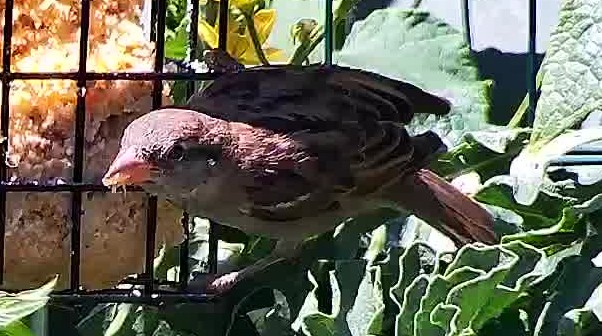
RED has no page yet
House Sparrow · 2,052 visits since June 8.
Give him a nameTHE SHAE-VIARY · SUMMER 2026 ARCHIVE SINCE JUNE 4 ·
3,899 PICTURES IN 12 SERIES · 2,713 BIRD VISITS